Start at Google Play
Check Funshing: Open World Fishing and Entertaner Games before installing.
THE OPEN-WATER JOURNAL / FIRST-PERSON FISHING
 Funshing: Open World Fishing
Start with a small dinghy and a reason to explore. Funshing turns the journey between fishing spots into part of the adventure.
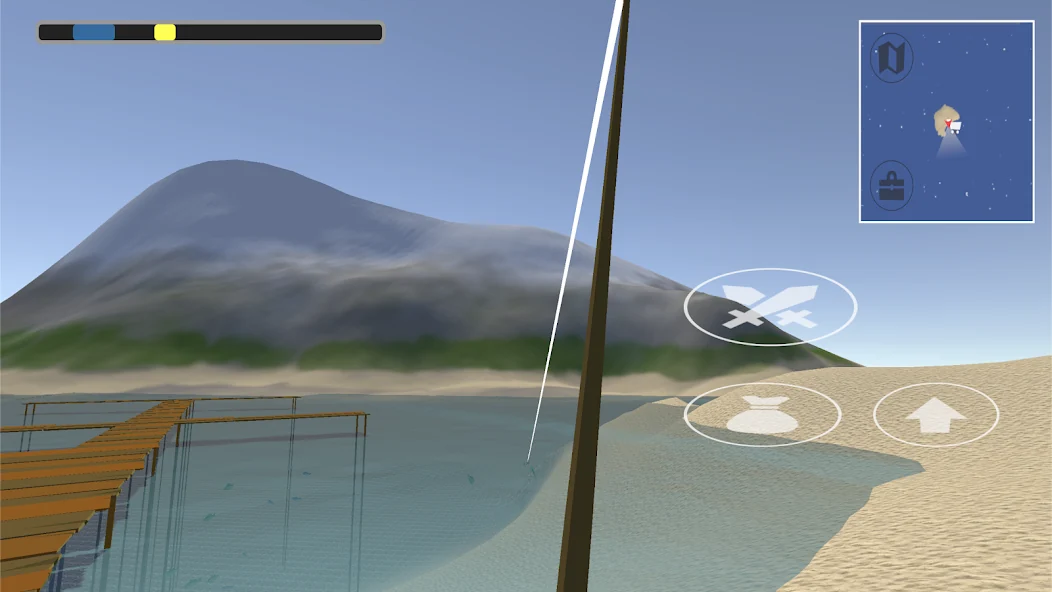
The sea is more than a backdrop.
A fishing spot feels different when you have travelled there yourself. Funshing: Open World Fishing brings first-person angling and boat travel together, with a small starting craft giving way to larger vessels as you progress. Choosing where to go is part of the session, not merely a menu before it.
You catch and sell fish for in-game gold, then improve rods and unlock boats. The open sea includes special fishing zones and species such as tuna and sharks. There is room for an unhurried approach: learn a familiar patch of water, make a purposeful upgrade and then set out a little farther.
Our editorial interest is in the connection between travel and catching. Starting with a modest boat creates a readable sense of scale, while the open water gives upgrades a practical role beyond a growing number.
Editorial impressions based on the published mechanics and official images. Not player testimonials or a hands-on review.
An open-world format asks for a little orientation and patience. If you want a single-button arcade that immediately starts another round, boat travel may feel slower. Check the store’s current payment and download conditions before installation.
For players who like exploratory routes, first-person scenery and tangible equipment goals. The journey should appeal as much as the catch; that is what makes a short outing worth planning.
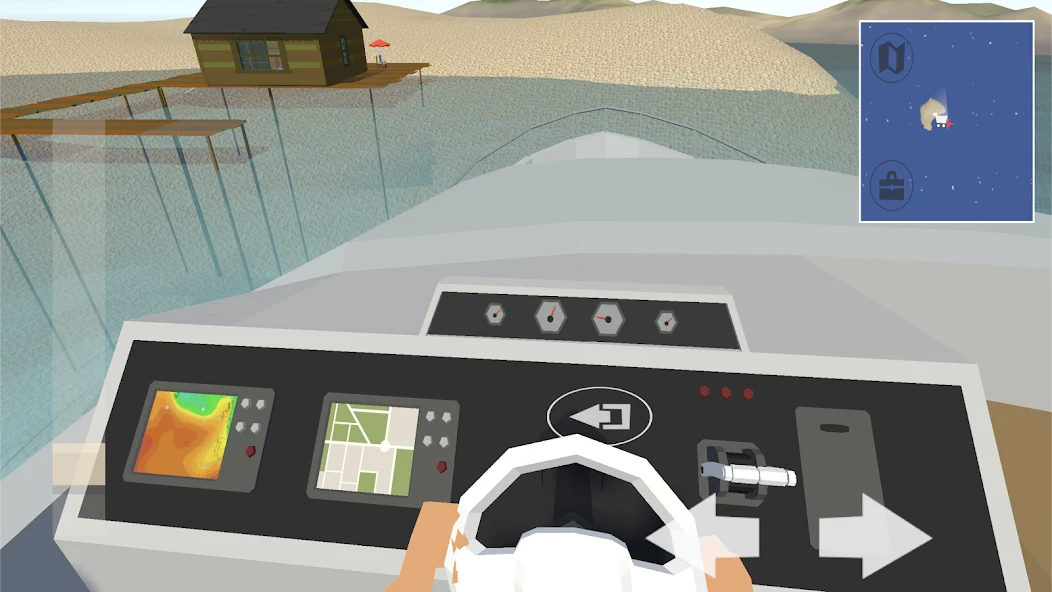
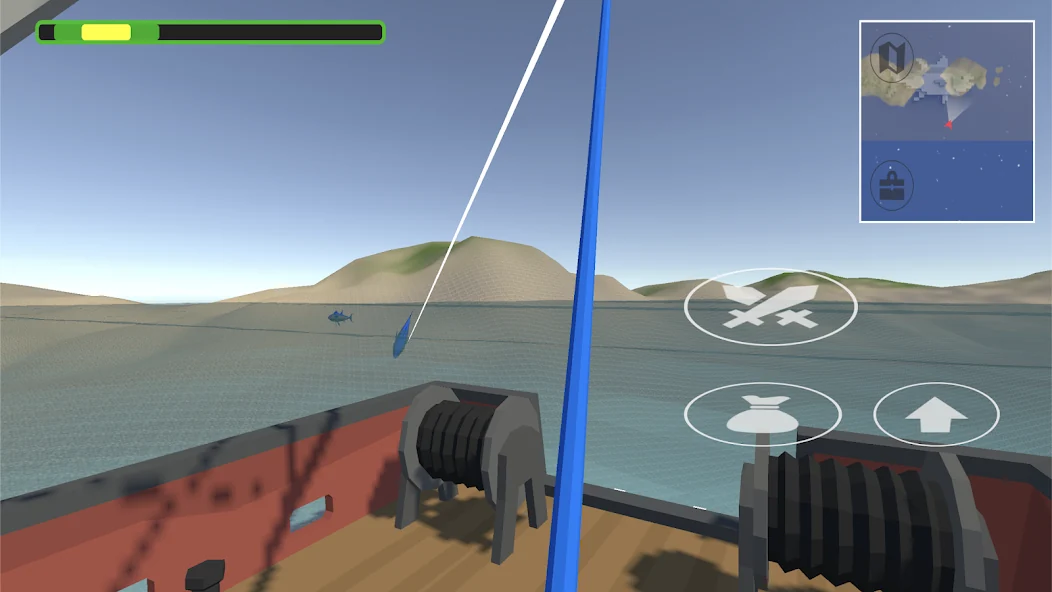
Cruise to discover fishing zones and give each outing a destination. The first-person view makes a little time spent orienting yourself worthwhile.
Focus on a useful equipment goal, then take the upgraded setup back to a familiar place. This is a way to organise play, not a separate named mode.
Named app features and editorial practice approaches are distinguished in the descriptions.
Check Funshing: Open World Fishing and Entertaner Games before installing.
Follow the introduction and learn the basic movement in a comfortable area.
Try a nearby fishing spot and pay attention to the sequence of casting and landing.
Sell your catch, review the available options and make the next journey purposeful.
Choose a reason to leave your current area. You might want to understand another fishing zone or work toward a boat upgrade. A clear purpose helps you decide when the outing has done enough.
The game combines driving boats with first-person fishing. Get comfortable moving around before asking yourself to master a catch at the same time. Reducing the number of unfamiliar actions makes the controls easier to learn.
Selling catches funds rods and boats. Compare what you need now with what a new purchase changes. A faster vessel is most useful when travel is your constraint; a rod choice should serve the fishing you want to attempt.
Choose one thing to improve. Give the next attempt a reason.
These suggestions are editorial practice advice. Adapt them to the controls and options in your installed edition.
Keep a brief personal note about a spot that taught you how a control or upgrade behaves. It makes returning more purposeful.
Changing the boat and the destination at once makes it harder to appreciate what the improvement did.
The latest notes include graphics settings. Choose a comfortable presentation for your device rather than assuming the highest setting always helps.
Catches fund in-game gold for improvements and boats, giving your next purchase a connection to your previous trip. A new vessel also changes the feeling of setting out. Keep those rewards in the context of the game: there is no real-money earning offer here.
Buying the next available item can leave you unsure what to do with it. Decide what kind of outing you want first.
Moving constantly can mean seeing a lot without learning a spot. Give an interesting zone enough attention to understand why you might return.
| Rank | Player | Practice points | Success streak | Challenge | Change |
|---|---|---|---|---|---|
| 01 | HarborFox | 2,480 | 8 | Practice A | ↑ 2 |
| 02 | BlueCurrent | 2,310 | 7 | Practice A | ↑ 1 |
| 03 | QuietCast | 2,160 | 6 | Practice A | ↓ 2 |
| 04 | ReefWalker | 1,920 | 5 | Practice A | ↑ 3 |
| 05 | SilverFin | 1,740 | 4 | Practice A | — |
No entries, account connections or prizes. The practice points and challenge labels belong to this display only.
Set your own benchmarks around productive outings and deliberate upgrades. Compare journeys with similar equipment instead of treating every catch as a fair measure of skill. We do not claim an official online league or player race for this game.
Entertaner Games develops Funshing: Open World Fishing. The studio or creator maintains the app and its support channels. This website explains the published experience independently; it does not operate the game or make decisions about updates.
[email protected]The latest notes describe an expanded game world and the addition of graphics settings. Revisit those settings after updating to find a comfortable balance for your device.
Game details and support information checked against the official listing. Open the app page for the version offered to your device.
Official game page ↗A personal marker system, a clearer trip history and optional control guidance would help new explorers in our view. These are editorial suggestions, not a confirmed roadmap.
Check the current store conditions before installing. If a purchase is offered in your edition, review the price and whether it is recurring in the store’s own confirmation window.
A connection is required to install and update. Check the installed game before assuming an entire outing is available offline.
The declaration states no data collection and allows sharing of personal information, app performance information and identifiers. It also lists encryption in transit and deletion requests; review the full policy for how these declarations apply.
Download through the official store, review permissions and use Android settings to change access. A store listing is not an absolute safety guarantee.
Use the Google Play links on this website. Check Funshing: Open World Fishing and the developer Entertaner Games before selecting Install. This guide does not supply APK files.
The reviewed listing offers installation without an upfront purchase price. Regional availability and terms can change, so check the store on your own device.
Check the current store conditions before installing. If a purchase is offered in your edition, review the price and whether it is recurring in the store’s own confirmation window.
A connection is required to install and update. Check the installed game before assuming an entire outing is available offline.
Keep a brief personal note about a spot that taught you how a control or upgrade behaves. It makes returning more purposeful.
Before switching devices, reinstalling or clearing app storage, check the game’s save and account options. Ask the developer about recovery if you are unsure. Removing local app data can erase progress.
No. It contains illustrative nicknames and sample results. The website does not connect to game accounts, accept score submissions or run a live competition. Use the game itself for any official ranking.
Catches fund in-game gold for improvements and boats, giving your next purchase a connection to your previous trip. A new vessel also changes the feeling of setting out. Keep those rewards in the context of the game: there is no real-money earning offer here.
Open Google Play on the device you plan to use. It checks compatibility and shows the current download details. Leave room for installation and future updates; sizes can vary by device and release.
Contact the game developer at [email protected], the support address on the reviewed Google Play page. Include the app version, device and a short description, but never passwords or payment credentials.
For this website, clear its site data in your browser to remove the notice preference. For game data, use the app’s privacy and account options or contact its developer. Check recovery options before clearing Android app storage.
The editorial wishlist contains ideas, not developer commitments. Any explicitly announced direction is identified separately. Use only the features available in your installed version when planning your progress.
Open Google Play, check Funshing: Open World Fishing by Entertaner Games, then select Install. Wait for the download to finish and follow the first-launch guidance.